


Jordan M.
The Ampligame AM8 microphone delivers exceptional sound quality and features that make it perfect for gaming and streaming!
⭐⭐⭐⭐⭐

Featured On
As seen on Forbes, TechCrunch, and Wired.
- Forbes
- TechCrunch
- Wired

Unleash Your Inner Rockstar
Meet the AMPLIGAME AM8, the microphone that transforms you from a mere mortal into a sound sorcerer! With natural audio clarity and a frequency response of 50Hz-16KHz, your voice will resonate like a symphony. Whether you’re screaming at your PS5 or serenading your audience, this dynamic mic rejects unwanted noise like a pro bouncer at a club. Just keep it 2-6 inches away from your mouth, and you’ll be golden!

RGB Magic and Mute Mayhem
Get ready to dazzle with the AM8’s RGB lights that can be controlled at your fingertips! With three modes and over 10 colors, you can match your mic to your gaming setup or just have a mini disco party. Plus, the handy mute button ensures that your secret snack-crunching moments during live streams remain undisclosed. Plug it in via USB for all the fun or XLR for serious business—just remember, no RGB shenanigans with XLR!
What Our Customers Are Saying
FAQ
Can the RGB lighting of this mic be controlled or turned off?
Yes, you can set the RGB light to various modes like static color, breathing multicolor, or alternating multicolor to match your aesthetic, or easily turn it off with a tap. This feature is available only when connected via USB.
What devices can the AM8 mic use with via USB connection?
This mic works seamlessly with PC, laptop, Mac, and PS5, but it is not compatible with Xbox. Note: For Macbooks with only USB C ports, a USB-C to USB-C cable (not included) is required. For PS5, it's recommended to connect the mic to the USB-A port at the back.
What function keys does the AM8 mic have?
The AM8 mic includes an RGB button, mute button, mic gain, headphones jack, and monitoring volume control. These functions operate only when connected via USB and do not work with XLR connections.
How can I achieve loud and clear sound quality while recording?
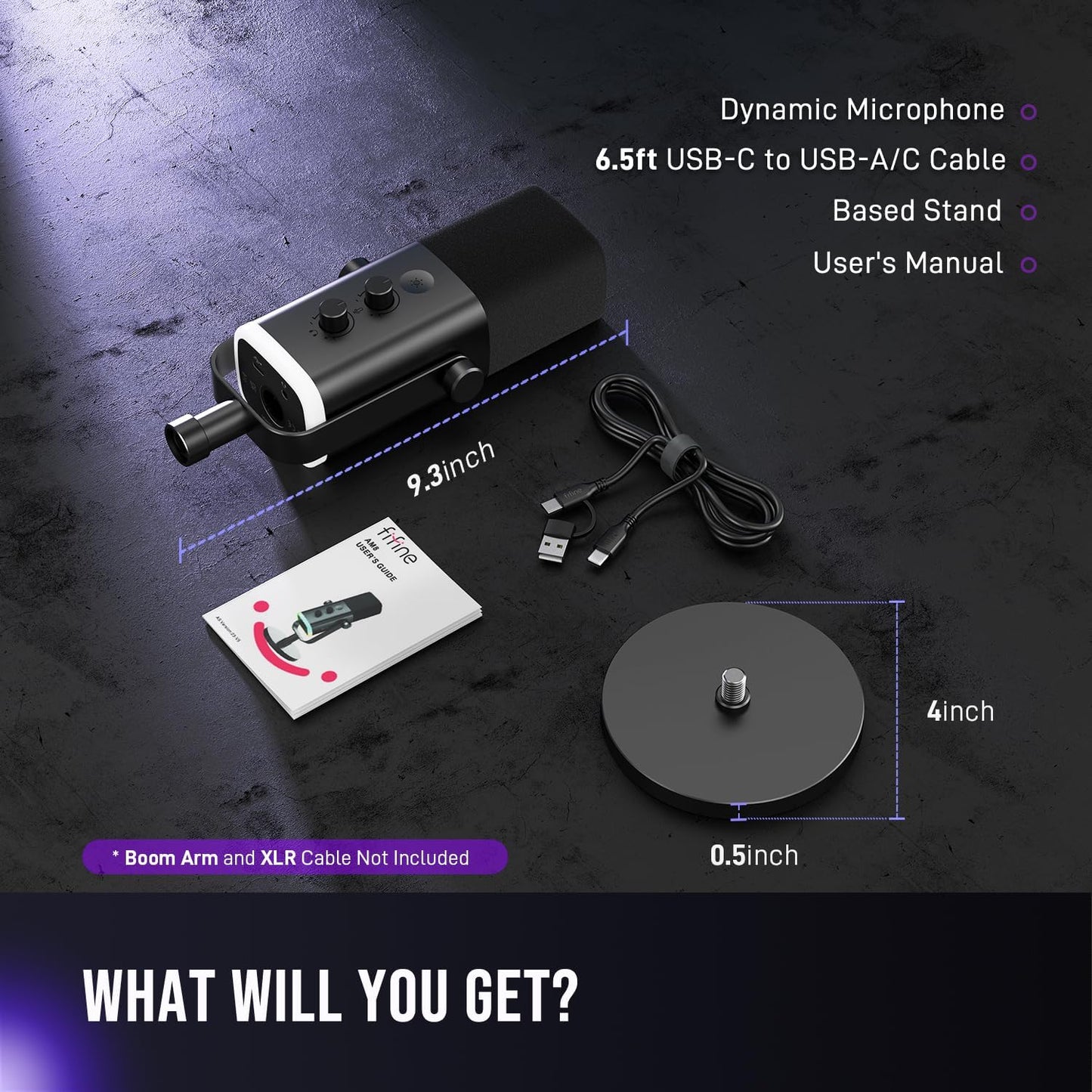
To optimize sound quality, speak into the top of the mic within 2''-6''. You can adjust the mic angle using the included desktop stand or opt for a boom arm for better positioning.
How do I set up the XLR connection?
For XLR connection, you'll need a separate XLR cable to connect the mic to an audio interface or mixer. Control functions such as volume and mute directly on the audio interface or mixer.
Is there a warranty for the AM8 mic?
Yes, the AM8 mic comes with a 1-year warranty, ensuring you have peace of mind with your purchase.
How long does shipping take?
Shipping typically takes 5-7 business days, depending on your location.
What is the weight and dimensions of the AM8 microphone?
The AM8 microphone weighs 1.32 pounds and has dimensions of 3.35 x 4.96 x 9.65 inches, making it a compact and sturdy choice for your setup.